The short version
- Captions display the speech and essential sounds in sync with the video so viewers can follow along.
- Within its defined scope and exceptions, WCAG requires captions at Level A for prerecorded synchronized media, and at Level AA for live synchronized media.
- Automatic transcription only gives you a draft. A human still needs to check names, timing, speaker changes, and meaningful sounds.
- Transcripts do things captions cannot. Readers can scan them, search for keywords, pull quotes, and click to jump straight to a specific moment in the recording.
- We generate both captions and transcripts from a single timed source, so any edit you make updates both files at once.
1. Captions, subtitles, and transcripts do different jobs
Captions run in sync with a video, showing the dialogue and any non-speech audio needed to understand the scene. They can also identify who is talking and describe important sounds. Subtitles, on the other hand, are usually translations meant for viewers who can hear the audio track, when they don't speak the language. A transcript is simply a written document. It works well for audio-only files, and makes it easy to read through, search, quote, and navigate the material.13
You can generate all three formats from one corrected, time-coded master file, though each requires different editing. A transcript has room for full paragraphs and extra context. Captions have to fit into short lines, appear on the exact right frame, and avoid covering up text that is already burned into the video.
2. What the standard actually requires
Under W3C guidance, captions sit at Level A for prerecorded video where the audio is necessary, and at Level AA for live synchronized media. Alongside the spoken words, captions must include speaker identification and meaningful sound effects. Your actual legal obligations depend on your country and what you are publishing, since WCAG is a technical standard rather than legal advice.21
In practice, these formats are not interchangeable. Putting a transcript link below a video does not give the viewer the same experience as watching with synchronized captions. Likewise, captions locked inside a video player do not give an audio-only listener a document they can read, search, or quote. We always figure out the media type and what the user needs before choosing the format.
3. The audience goes well beyond a compliance checklist
According to the World Health Organization, roughly 1.5 billion people have some degree of hearing loss, including about 430 million who require rehabilitation services. Plenty of other people rely on captions too, whether they are in a loud bar, a quiet office, or a classroom. Viewers watching in a second language use them, as does anyone who simply cannot turn their volume up at the moment.41
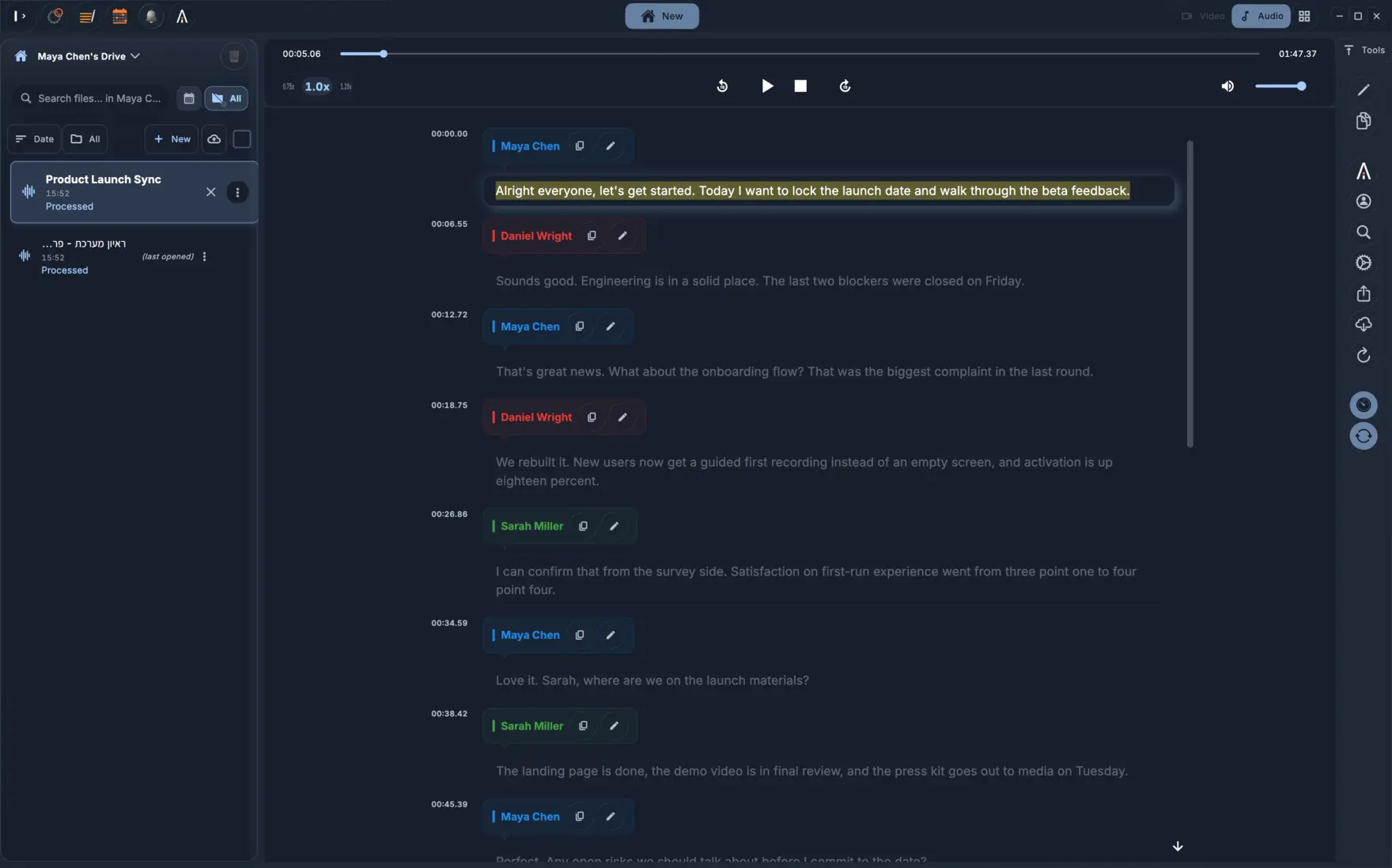
Written text lets people work with your content in ways audio never could. A reader can search for a term, copy a quote, translate the page, increase the font size, and read at their own speed. The W3C also notes the value of interactive transcripts, which highlight words as they are spoken and let users click any phrase to jump to that spot in the recording.3
4. Why automatic captions still need an editor
Speech recognition handles the heavy lifting of typing, though it cannot tell which mistakes break the meaning. Getting a last name wrong, dropping a word like "not", swapping a number, or missing a speaker change can completely flip the point of a scene. Speech-to-text tools also tend to miss non-verbal sounds that carry meaning. As W3C practical guidance points out, automatic captions usually need a human editor.1
We check our work by listening to the audio instead of relying on a spellchecker. Pay close attention to the first and last few seconds, since material often gets cut off there. Double-check names and numbers, mark where speakers change, and include any sounds a viewer needs to follow along. Once that is done, watch the finished video to check cue lengths, reading time, contrast, and whether a caption covers up a name that is already on screen.
5. Our pre-publish checklist
We keep a single corrected master file with word-level or segment-level timing, and export all our caption and subtitle tracks from there. We also hold onto the raw media files and the version history. Before publishing, always test your exported file in the actual media player your audience uses. An SRT file might be technically valid, yet still play back too fast for anyone to read.
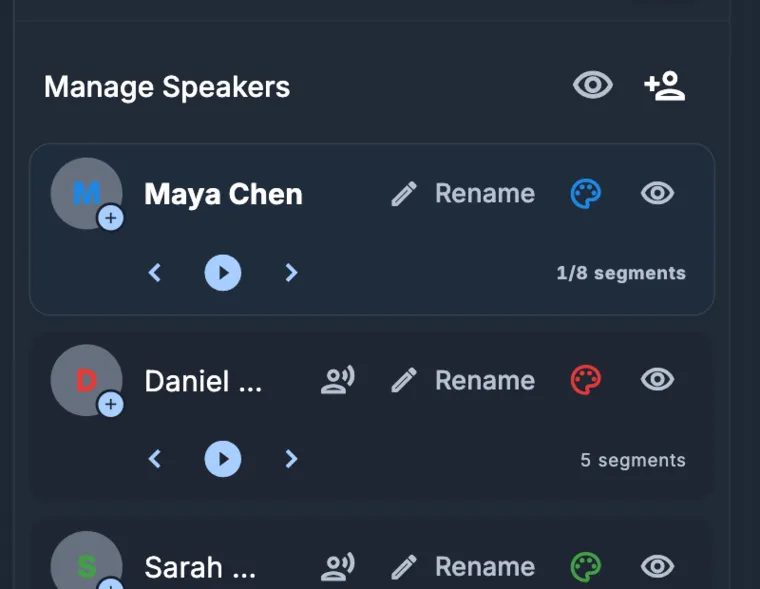
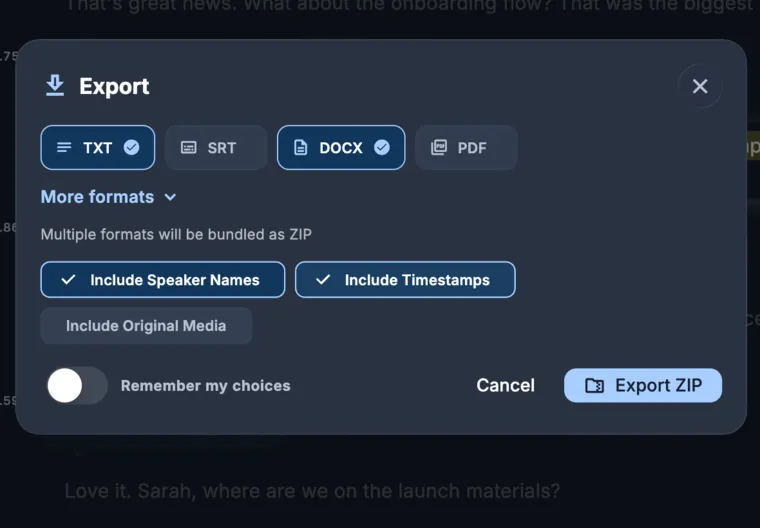
We built KolWrite around this single timed source workflow. You can edit the text right next to the media player, assign speakers, set language details, and then export whichever file format your audience needs. Hitting an export button does not automatically make a video accessible. What matters is how the final video plays for the viewer, and getting that right still takes a human editor a few minutes per clip.
Common questions
Are subtitles and captions the same thing?
The two often use the same file format and can even have the exact same text. Captions give the speech and meaningful sounds to someone who cannot hear the audio, whereas subtitles usually translate the dialogue for someone who can hear it. Different countries also use these terms in different ways.
Do automatic captions meet WCAG without review?
Meeting the standard comes down to whether the finished captions are accurate and complete, regardless of how you made them. Automatic transcription gives you a solid head start, though you still need someone to review names, timing, speaker labels, skipped phrases, and meaningful sounds.
Does a transcript replace captions on a video?
Usually not. Under WCAG, prerecorded video with necessary audio requires synchronized captions. Publishing a transcript alongside the video is still useful, and for audio-only content, the transcript can serve as your primary accessible format.
How long should a caption line be?
A line needs to be short enough for the viewer to finish reading before it disappears. Instead of just counting characters, we look at the actual reading time available and split the caption into two cues whenever a sentence moves too fast to take in comfortably.